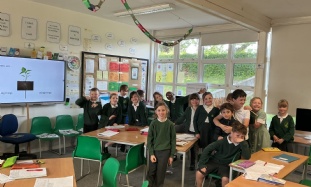
Year 3 science day!
Published 15/05/26, by Kiana Shateri
Year 3 Science Day!

Stay Safe
Be Respectful
Always Try Your Best
Year 3 Science Day!

hildren are encouraged to use White Rose Infinity to practice maths at home. Below you can now find all the Infinity quizzes for the autumn term.
To access Infinity visit https://infinity.whiteroseeducation.com/Home then enter school code QYS SHJ followed by the relevant code below.
The children also now have individual login codes that they can use to access their assigned quizzes.
Spellings will continue to be tested every Monday.
Here are the RKEs for next half term. Please look at them with your child and talk about their upcoming learning. RKE stands for Remember, Know and Explore and these demonstrate to our pupils what they need to remember from previous learning to support current learning, what they will Know by the end of this unit and what they can Explore at home around the learning. We are so proud of how our pupils engage with this and we would like to ask again that you look at these to direct conversations around learning at home and undertake some of the Explore section. It is a real dip 'n' pick and we would like any of this work brought into school for us to celebrate by Thursday 14th May 2026.
The Summer 1 letter can be found below.
Many thanks as always for your engagement.
Please see this link for the teacher letter for Year 3.
Year 3 RKE sheets for Spring 2 can be found here.
RKE stands for Remember, Know and Explore and these demonstrate to our pupils what they need to remember from previous learning to support current learning, what they will Know by the end of this unit and what they can Explore at home around the learning. We are so proud of how our pupils engage with this and we would like to ask again that you look at these to direct conversations around learning at home and undertake some of the Explore section. It is a real dip 'n' pick and we would like any of this work brought into school for us to celebrate by Thursday 19th March 2026.
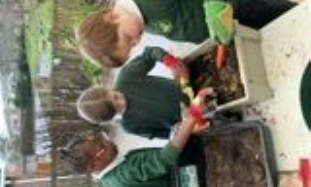
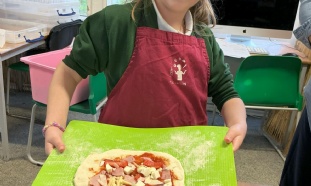
Red Kites Class Explore Seasonality and Food Safety Through Pizza Making!

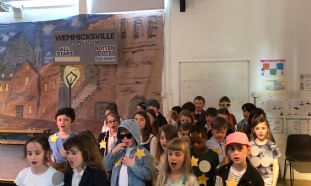
Please support your child to learn the songs from our upcoming production of We are Special.
All lyrics and mp3 files can be found below.
In computing we are learning about Branching Databases. Today the children have tried out some online examples which I'm certain they would like to test out with you at home.
Our next step will be to design our own branching databases.
Our work on learning times tables is now well underway. While we will be spending many of our maths lessons between now and February focusing on multiplication and division, we cannot stress enough how vitally important it is that children are supported at home to practise their times tables regularly.
Today, the children have all come home with a practice pack designed to help them. Please encourage your child to use this pack as often as possible, as strong times tables knowledge will make a huge difference to their confidence and success in maths.
What’s in the pack and how to use it:
| X-Table Infinity Quiz Codes | School Code - QYS-SHJ | |
| Pictoral | Abstract | |
| 2x | 38-11-09 | 30-48-33 |
| 3x | 99-74-95 | 62-93-91 |
| 4x | 08_09_63 | 77-58-34 |
| 5x | 35-28-07 | 99-09-89 |
| 6x | 01_31_16 | 49-62-13 |
| 7x | 81-27-96 | 87-27-14 |
| 8x | 45-36-02 | 14_05_52 |
| 9x | 75-40-00 | 57-71-75 |
| 10x | 48-22-80 | 22-89-04 |
| 11x | 60-12-51 | 93-40-28 |
| 12x | 83-23-69 | 78-08-36 |
Expectations:
If you would like more ideas for practical ways to learn times-tables, please reach out to Mrs Kelsey via the school office.
Thank you for your continued support.
Kind regards,
Mrs Kelsey
If you would like a copy of the Autumn term spellings presented as a handwriting sheet please see the attachment below.